Celigo Enterprise Application Integration
Author: Tyler Salaj
19 January, 2025
In today’s rapidly evolving digital landscape, business success isn’t just about having the right applications; it is about ensuring they work together seamlessly. Organizations across departments such as Finance, HR, and Inventory rely on different systems, and all of them must function cohesively to keep operations running smoothly.
However, many of these systems struggle to communicate with each other, leading to unnecessary manual work, slower performance, and an increased risk of errors. When people have to move data by hand, mistakes happen and efficiency drops. This is where Enterprise Application Integration (EAI) becomes critical—and why Celigo is a perfect solution.
A common question organizations face is:
“How do we connect our growing ecosystem of applications without creating a tangled mess of custom code and one-off connectors?”
The answer isn’t simply “integrate everything.” Instead, the goal is to build intelligent, scalable, and maintainable integrations that support business goals, reduce complexity, and unlock new efficiencies. Celigo’s Integration Platform as a Service (iPaaS) offers a powerful, flexible way to do exactly that.
What Is Celigo?
Celigo is an Integration Platform as a Service (iPaaS)—a cloud-based platform that allows businesses to connect applications, automate workflows, and manage data movement across systems without writing custom code for every connection.
In simple terms: Celigo helps one system talk to another system automatically.
At its core, Celigo offers:
- Pre-built connectors for popular applications like NetSuite, Salesforce, Shopify, Workday, and more.
- Integration templates and “flows” to easily configure data syncs.
- A visual interface for designing and managing integrations.
- Advanced customization options for developers when needed.
- Monitoring and error handling tools to ensure everything runs smoothly.
Celigo strikes the perfect balance: it’s easy enough for non-technical users to build integrations, yet powerful enough for IT teams and developers to customize complex workflows.
The 6 Main Parts of the Celigo Platform
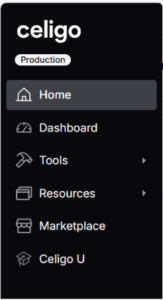
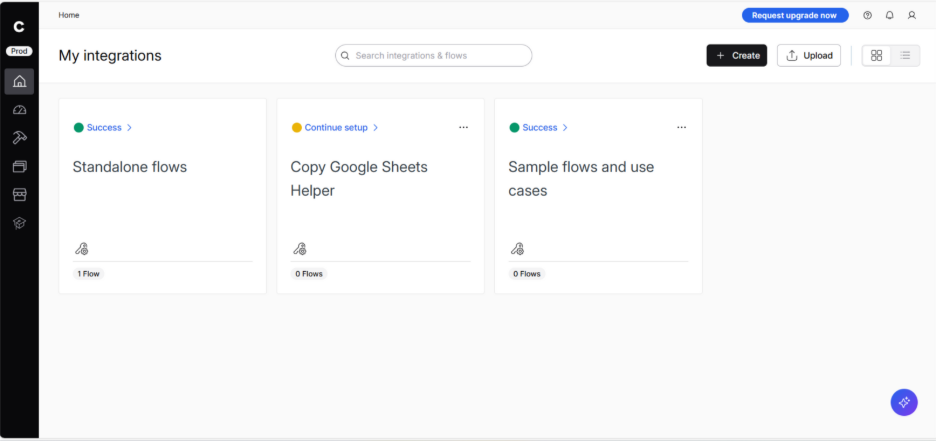
Home:
A simple overview of all the integration flows you’ve started or completed. It shows whether a flow is active, successful, or if it recently failed.
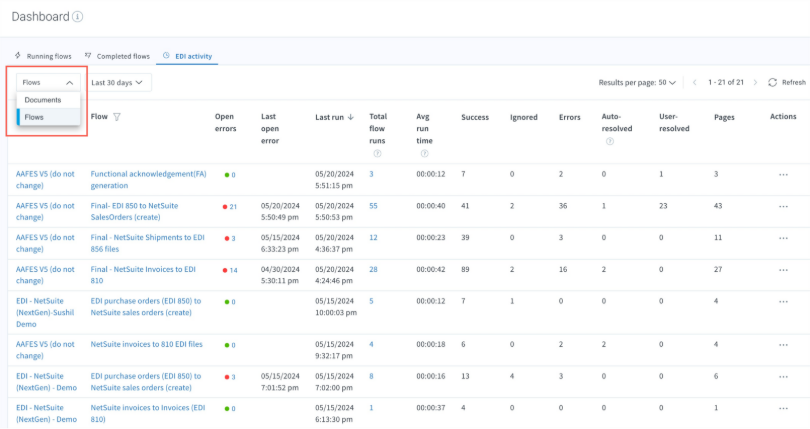
Dashboard:
This is where you can see:
- Exact run times of flows
- Status of each run (in progress, completed, failed)
- Errors and timestamps
- Filters to quickly find the flow you’re looking for
The Dashboard provides real-time visibility and control over integration performance.
Tools:
There are multiple parts of Tools tab. There is the flow builder, this is where you would actually build the flow. You would choose a source and a destination application. If the flow would be as simple as you want to take a google document and move it into a google drive you would connect the google document as the source and the destination would be the add destination (this is a simple example). You would select the source -> create connection -> select what to export -> preview data -> save.
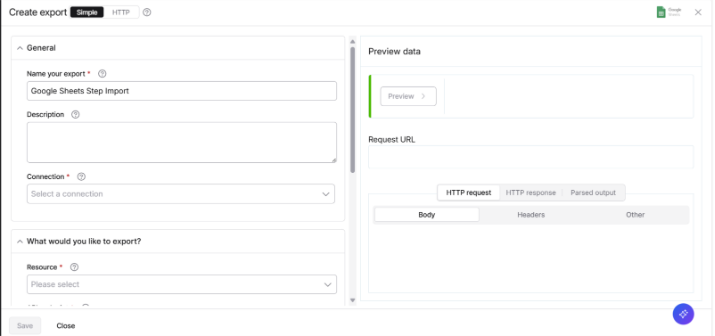
Then in the destination one the steps are as followed.
Select a source -> Select what you want the input to do in this destination -> create the connection -> give it what data you are inputting and then preview the data.
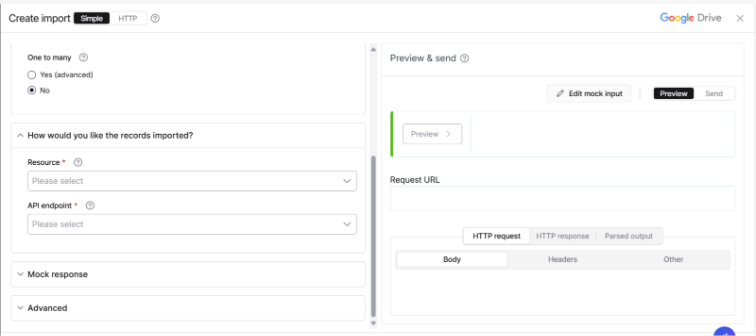
This is how you would create a simple flow in Celigo that would take a google document and put it into google drive.
There is another tab inside the Tools tab and it is called Data Loader. This page is as it sounds it would load the data from a source into a destination. There are thousands or different applications that you can connect to which makes this super user friendly.
The two other tabs are Reports and Playground. Reports is used if there are any reports that you want to create based on your flows you can see statistics about the flows and you can build exactly what you would want to see in the reports tab and then the playground gives you a space to play around and test Celigo products to see what is best to integrate with what sources.
Why Celigo Stands Out
There are plenty integration platforms on the market, so what makes Celigo particularly compelling?
Purpose-built for business and IT collaboration:
Non-technical users can build simple flows using drag-and-drop tools, while developers still have full access to advanced customization. This reduces IT bottlenecks and encourages teamwork.
Strong NetSuite and ERP integration:
Celigo is one of the most trusted platforms for connecting ERPs like NetSuite—making it extremely popular among mid-market and enterprise companies that rely on accurate financial and operational workflows.
Pre-built “Integration Apps”
Celigo goes beyond basic connectors by offering fully managed, end-to-end workflows for common business processes. These Integration Apps help businesses launch faster with best practices already built-in.
Scalability and observability:
As your organization grows, Celigo grows with you. Real-time dashboards, alerts, and logs make it easy to monitor performance and resolve issues before they impact your business.
Hybrid flexibility:
Whether your systems are in the cloud, on-premises, or a mix of both, Celigo supports hybrid environments and smooth transitions.
Why This Matters to Your Business:
Enterprise Application Integration is not just an IT project—it is a strategic advantage. When systems are fully integrated, organizations benefit from:
- Faster process
- Improved customer experience
- Accurate, real-time data
- Better decision-making
- Reduced operational costs
- Increased agility and scalability
Conclusion
In a world where speed, accuracy, and agility define success, disconnected systems can become major roadblocks. Enterprise Application Integration is no longer optional. It is essential for organizations that want to eliminate manual work, streamline processes, and unlock the full value of their data. Celigo provides a modern, intelligent, and accessible way to make this happen.
With its powerful iPaaS platform, Celigo bridges the gap between business and IT by offering both user-friendly tools and deep customization for complex needs. Its pre-built connectors, automated flows, real-time monitoring, and strong ERP integrations enable businesses to build scalable solutions without getting tangled in custom code. Whether it’s syncing financial data, automating HR workflows, connecting ecommerce platforms, or managing inventory across multiple systems, Celigo ensures that your applications don’t just coexist—they collaborate.
Ultimately, the value of Celigo goes beyond integration. It empowers teams to innovate faster, make better decisions, and focus on what truly drives growth. When systems work together, people work smarter—and the entire organization becomes more efficient, proactive, and competitive.