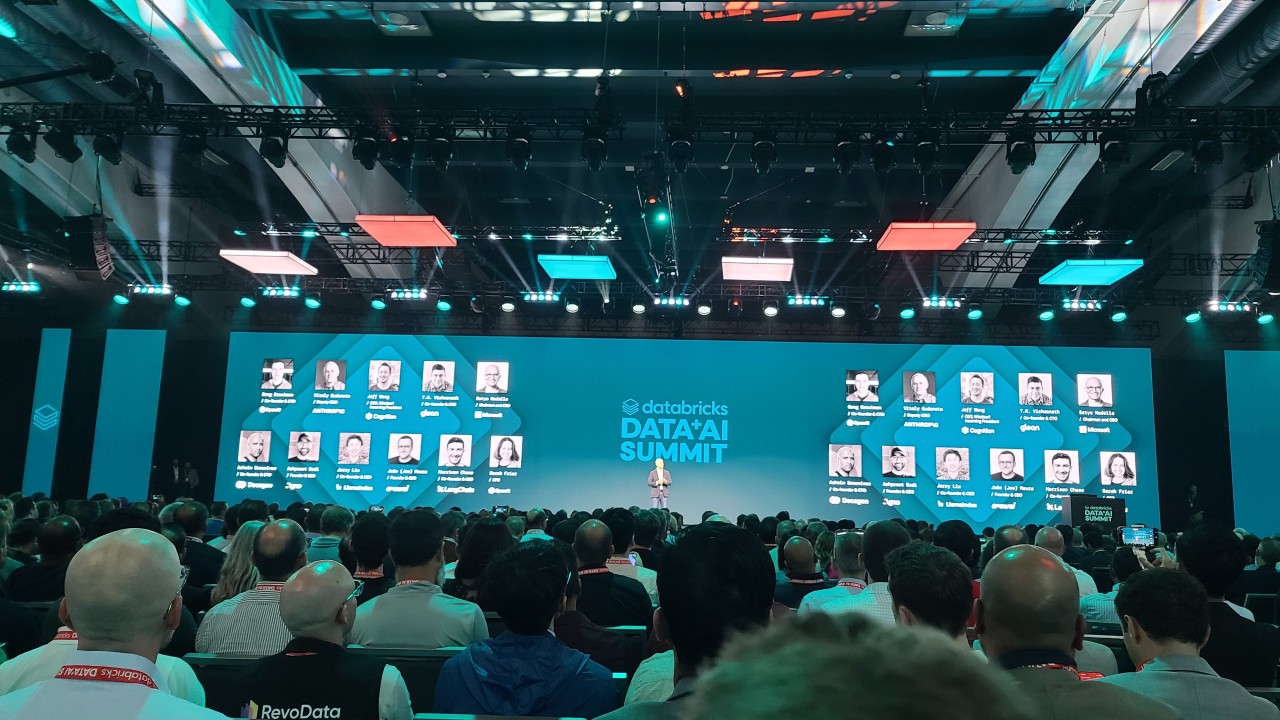
Databricks Data + AI Summit 2026 – Recap & Update
Author: Ryan Shiva
10 July, 2026
It’s been a couple of weeks since the announcements at DAIS 2026, and I wanted to give a recap of the most exciting new Databricks features, and give an update on what has changed since the Summit wrapped.
There are so many exciting new features: Genie One, Genie Agents, Unity AI Gateway, LTAP, CustomerLake, Lakewatch, OpenSharing, and more. In this post, I want to highlight the top 5 features I am the most excited about. Narrowing it down was difficult since there’s so many outstanding new features this year, but these are the five that I think will most improve my workflow as a developer and change how I deliver solutions for clients. This is a good post to read if you want a refresher from the conference, or if you’re curious what updates that Databricks has announced since the Summit.
1. Genie Ontology
If there was one theme running through the entire conference, it was context. AI in the enterprise doesn’t have an intelligence problem, it has a context problem – the model can reason just fine, but it doesn’t know what “engagement” or “active customer” means at your company. It would be nice if business context was all available, up to date and organized in a single location, but we all know that in reality, the various bits of business context is scattered across dashboards, SQL, wikis, and people’s email inboxes.
To solve this issue, Databricks is releasing Genie Ontology, currently in preview. It is a continuously learned knowledge graph that automatically pulls context from your Databricks tables, queries, dashboards, and pipelines, plus more than 50 connected apps like Slack, Google Drive, and SharePoint, and turns it into a living map of how your business actually works. When multiple definitions of the same metric exist, it uses a ranking method called OntoRank, similar to Google PageRank, to decide which definition to trust based on where it came from, how often it’s used, and how fresh it is.
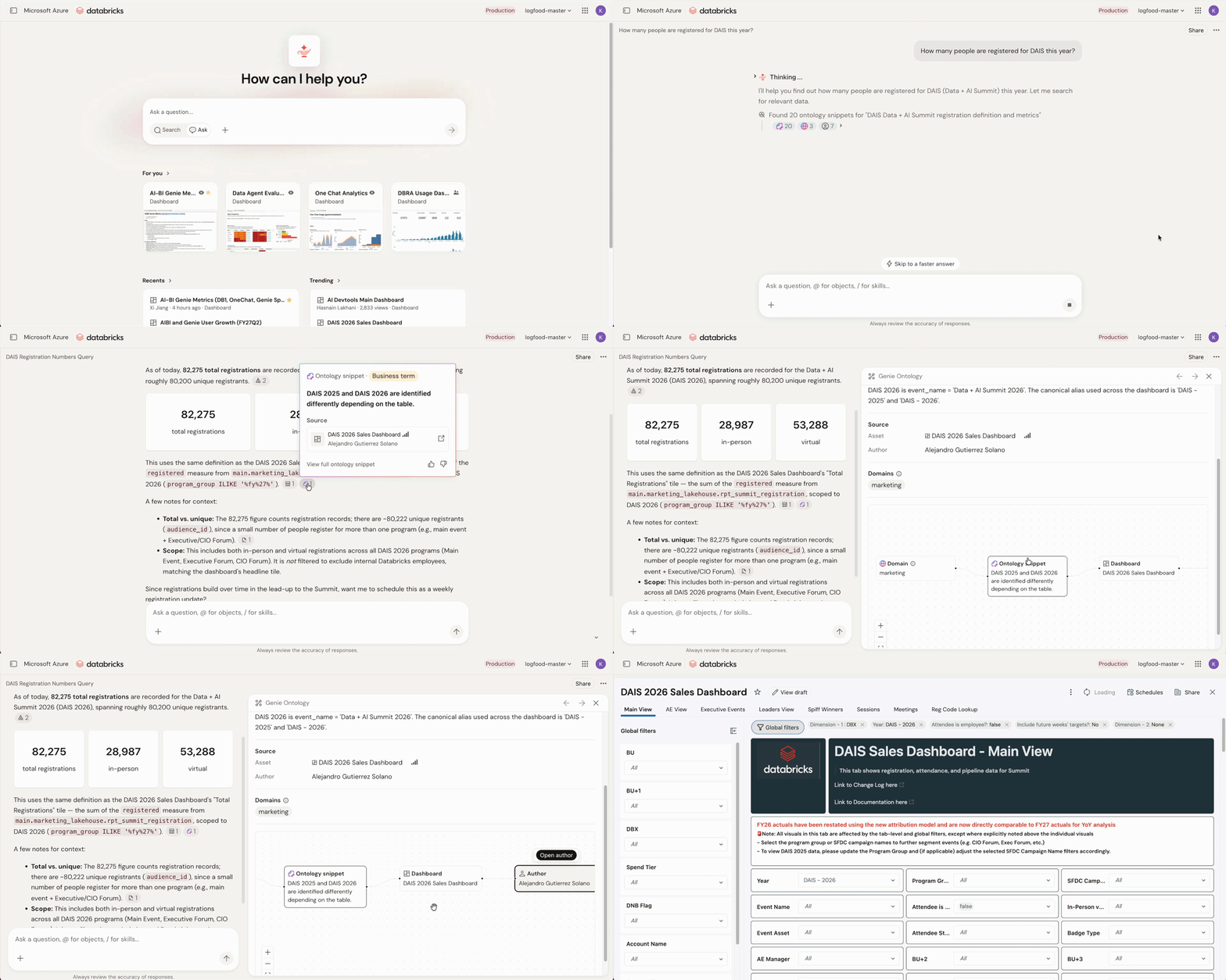
[Source]
This is the feature I’m most excited about, because Genie is usually how we get a new client on Databricks in the first place. When we pitch Databricks to a prospect who isn’t on the platform yet, the ask is almost always the same: set up a proof of concept with Genie so business users can ask questions about their data in plain English. I have created these POCs before, and while it’s trivial to add some datasets to a room, most of the work is in adding the column/table metadata (i.e. context) as well as providing the business rules needed to improve and fine tune the results. In the previous version of Genie Spaces, you’re manually curating the dataset and writing business rules as plain text so Genie knows, for example, that “revenue” means net of returns or that a “closed deal” excludes anything under a certain size. It’s useful, but it’s also work you’re redoing for every space, and if you miss a rule, it will impact performance of the agent.
Genie Ontology takes that manual curation and makes it automatic and organization-wide instead of something you rebuild space by space. It means less time hand-feeding context into a POC and more time on the actual business problem, which is exactly the kind of thing that speeds up how quickly we can get a client onboarded onto Databricks.
Side Note – I had the chance to speak with a Databricks employee regarding this feature, particularly some skepticism I had about how effective this would be out of the box. It would be nice if documentation repos such as Sharepoint were perfectly curated and updated, but often, there’s tons of outdated an inaccurate information mixed in. Apparently, Genie Ontology is very intelligent and can use clues such as date published as well as the author to rank how trustworthy a source of information is. The scenario described to me was – a developer who has published a Databricks notebook that is used by the entire organization will have a higher trust ranking than a developer who published a notebook used only by themselves. Genie can make use of all of this context to generate intelligent, accurate results despite information gaps or conflicting sources. Very excited to test this one!
2. Lakehouse//RT (Reyden)
This is the feature that I think had the most “wow” factor at the keynote. Watching the live demo with sub-100 millisecond latency for thousands of concurrent queries was impressive, and I can see this making a big difference for analytics/reporting use cases where you have a large number of concurrent reads on the same dataset. This is a challenge I have dealt with before for a client. I was ingesting data into Azure Databricks and needed that data available for downstream analytics. The problem was concurrency – Delta tables are objects sitting in ADLS cloud storage, and once you start firing a large number of simultaneous queries, performance will suffer. The workaround was to create a Reverse ETL pipeline to load the data from Databricks into SQL Server, which gave us lower latency and concurrency that we needed. Unfortunately, this introduced another pipeline to maintain as well as a duplicated copy of the data in another platform that had to be truncated and reloaded each day to keep it in sync.
Lakehouse//RT solves this issue in Databricks. It’s a new real-time engine, now in beta, called Reyden, that’s built to query Delta and Iceberg tables directly, with response times as low as 10 milliseconds on smaller datasets and sub-100 milliseconds on larger ones, without moving the data anywhere. Databricks reports sub-100 millisecond latency at 12,000 queries per second, and says customers have seen up to 16x better performance than their existing real-time serving stacks, according to Databricks’ published benchmarks. Since every query still runs inside Unity Catalog, you keep the same permissions and audit trail you’d have anywhere else on the platform.

[Source]
This kind of solution is not new – ClickHouse is already doing something similar. However, the benefit of Lakehouse//RT is that you don’t need to migrate your Databricks data into another platform.
As of this week, Lakehouse//RT is now available in beta as a serverless SQL warehouse type.
3. Omnigent
This is the feature I think will be the most useful to me as a developer, but I also think that Omnigent has the potential to transform and accelerate enterprise development workloads. Databricks announced that Omnigent is their “meta-harness” for AI agents. An “agent harness” is the software wrapper around an AI model that turns it into something you can actually work with. Claude Code, Codex, and Copilot are all harnesses. A meta-harness sits one level above that: instead of picking one harness, it gives you a single interface that lets you plug in and switch between multiple harnesses and models without losing your history or context.
Put simply, you are able to switch between models during a session and your chat history and shared context is perserved across the conversation.
With Omnigent, you get contextual policies – permissions that change based on what the agent has already done. For example, you can block an agent from sending an email if it has previously read a document containing PII. You can also set cost policies – spending limits on a given session, to limit your total spending.
4. Serverless Micro Apps
In my opinion, the future of business analytics will be AI empowered apps that allow you to ask questions in natural language and get fast insights, rather than static dashboards. Databricks agrees, which is why it has invested so much in improving the experience with apps on Databricks.
Databricks apps allow you to develop custom Python applications on top of data in Databricks. The app and the data it queries live in the same governed environment, under the same security model, with no separate infrastructure to stand up. The problem was that previously, Databricks Apps had limitations that kept me from recommending it for most use cases. Every app ran on a one-size-fits-all VM. If the compute wasn’t already warm, starting the app could take a few minutes. And there was no auto-terminate behavior like with a classic cluster – if you forgot to shut the app off, the VM kept running and the cost kept accruing. For an app that a business user only needs to check into a few times a week, you were stuck choosing between leaving it running around the clock for a lot of cost and very little use, or manually starting it, waiting on it, and remembering to turn it off again. That second option isn’t realistic to expect from a non-technical business user. So for most of the analytics-app use cases I’d actually want to build for a client, I couldn’t recommend Databricks Apps.
Serverless Micro Apps changes that. It’s a new microVM-based runtime that starts up quickly when needed and scales all the way down to zero when idle, while keeping each app isolated from the others. It shipped alongside two related announcements: App Spaces, which lets admins define data access, API scopes, and security policy once for a whole group of apps instead of app by app, and Genie App Builder, a Databricks-native agent for building apps with awareness of your data and workspace context.
5. Genie ZeroOps
Of all the Databricks releases, this one seems less tangible, and also the one I’m most torn on. But I do think it has a lot of potential and I’m excited to see what Databricks has in store.
Genie ZeroOps is a background agent that’s meant to monitor your production pipelines, jobs, tables, and ML models, investigate failures on its own, and propose a fix for a human to review.
In some ways, this is the most exciting feature on this list, because the scenario it’s targeting is one every data engineer knows. It’s 2 AM, a critical job fails, and the on-call engineer spends the next few hours digging through logs and lineage before finally tracing it back to a schema change that happened upstream the night before. It would be a game-changer if an agent could automatically detect that issue and provide a resolution in minutes instead of hours.
That said, I’m skeptical of how “autonomous” this can really be for anything touching production. Imagine that you get an alert that a pipeline failed, and waiting for you is an auto-generated PR you didn’t write and haven’t reviewed. Would you be comfortable merging that, with your name on the PR for code that was generated by a machine? What happens if the fix is wrong and it’s now touching production data that other systems depend on? Yes, every fix requires human approval before it touches production, and nothing is ever applied automatically. Still, I’m not sure how I feel about reviewing and trusting an agent-written fix to something I didn’t personally troubleshoot.
Genie ZeroOps is entering private preview shortly after the Summit, according to Databricks. Based on the conversations I had, I think we’re looking at a while yet before this is something we can actually get our hands on and test with a client, let alone trust with something running in production.
Wrapping Up
All together, the key takeaway of the Databricks Data + AI Summit was clearly that AI is no longer for POCs and sandboxes. Databricks has massively expanded and improved their suite of enterprise-grade AI assistants and tools, from agents to apps to governance. One thing is certain, the companies that succeed will be the ones that learn how to most effectively adopt and integrate agents while connecting their valuable data and business context to where it’s needed – and right now, Databricks is the platform that is most focused on this mission.