Adding a Custom Report Builder to a Web App
Author: Patrick Marshall
23 October, 2026
Reporting needs often evolve. A team may start with a PDF, then ask to move a logo, add a barcode, or create a layout for another purpose. When every presentation change requires a code update, small requests can add up.
We integrated Stimulsoft into a .NET web application to make report layouts easier to update. The goal was to let authorized users adjust presentation while the application continued to manage the data and business rules.
Give the layout a home of its own
Stimulsoft brings together a visual designer and a reporting engine. In the designer, authorized users can arrange text, tables, images, and barcodes. The reporting engine combines that layout with data from the application to produce a report.
The key idea is to keep the information separate from its presentation. The application provides details such as an item number and quantity; the template controls where they appear and how they look.
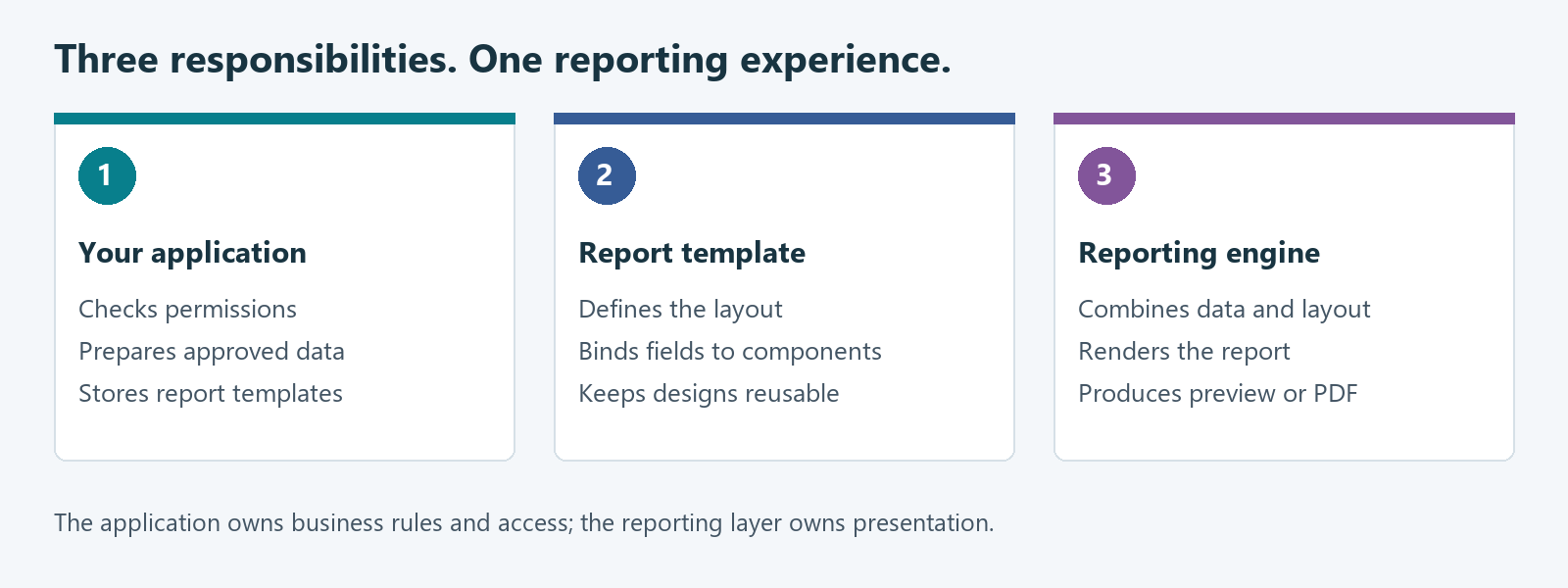
That separation made Stimulsoft a good fit for our needs. We can reuse layouts and support different presentation needs while keeping data access and business rules in the application.
Make the designer part of the app
Users can open a template, adjust its layout, and save their changes as part of the application workflow. The application loads the saved design and stores the updated version, so users can work with templates in the same place they manage their other reporting tasks.
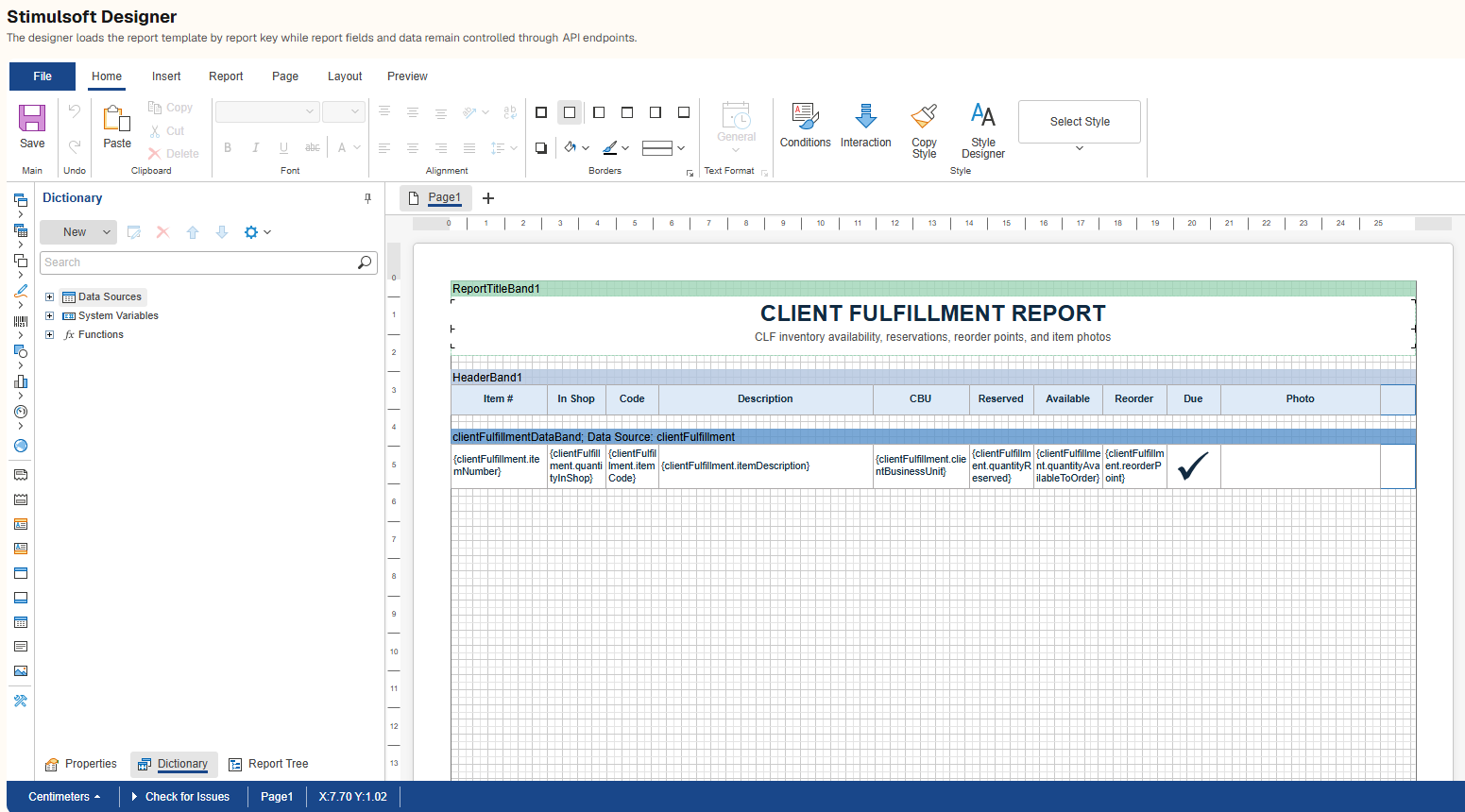
Think of an inventory label. A user might move the item description above the barcode or increase the quantity font size. If the same fields are still available, those adjustments can remain template changes instead of becoming backend development tasks.
Agree on the data before arranging the page
A report template can only use the fields the application makes available to it. For an inventory label, that might include an item number, description, and quantity. Agreeing on those fields before designing the layout gives both the template and the application a clear shared expectation.
Here’s a simplified example of providing sample inventory data to a Stimulsoft report:
const items = [

  {

    itemNumber: "ITEM-001",

    description: "Sample item",

    quantity: 2,

  },

];

report.regData("Inventory", "Inventory", { Items: items }, true);
In a real application, the application prepares and validates the report data, and the template controls how those fields are displayed. Keep the field names stable when saved templates depend on them, and only make the information needed for the report available.
Manage templates like other saved content
Templates need a reliable place to live so users can find, update, and reuse them. An application can also keep basic details, such as a template’s name and last update, to help people manage their reports.
The right storage approach depends on how the application handles templates. If layouts change frequently or need review before publication, keeping a history of changes can make it easier to understand or reverse an update.
Keep permissions in the application
The ability to run a report does not necessarily mean someone should be able to change its template or see all of its data. Those permissions should follow the application’s existing access rules.
Check permissions whenever a user opens, saves, or runs a report. Hiding an editing option in the interface helps guide users, but the application must also enforce access behind the scenes.
Test the document people actually receive
A polished preview is only part of the job. Check the finished report with long descriptions, missing values, multiple pages, and realistic amounts of data. For labels, verify the printed size and make sure barcodes are readable.
Decide where reports will be generated and test them in that environment. Fonts and other resources can affect how a report looks, so check the final output, not just the designer preview.
Leave room for the next request
The main benefit of this integration is flexibility. Developers can focus on reliable data and application behavior, while authorized users have a practical way to adjust how reports look.
At Xorbix, we see this as a useful approach when reports, labels, and print layouts change over time. Start by agreeing on the data a report needs, decide how templates will be managed, and make the designer part of the existing workflow. When the data is already available, a request to move a logo or adjust spacing can often be handled as a template update.